
help to better help you:
Please: add always Joomla / JEM version and details to your posts, so we can try to reproduce your issue!
Events list empty in frontend in JEM 5.0.0


Events list empty in frontend in JEM 5.0.0
1 month 3 weeks ago
Hello there; just updated JEM from 4.4.2 to 5.0.0 on my staging site (Joomla! is at 5.4. .
.
There is something wrong with the events list showing from the front end: is empty; on the backend side everything is ok, I can see all of them.
Btw (and this is a request, not a bug): should it be possible to have the events list (both sides) in date descending order by default, rather that in date ascending order? Or maybe there is already a parameter to be set, but I didn't find it.
Many thanks in advance!
P. S.: in the attachments you'll find the SQL statements of the two versions.
Marco
.There is something wrong with the events list showing from the front end: is empty; on the backend side everything is ok, I can see all of them.
Btw (and this is a request, not a bug): should it be possible to have the events list (both sides) in date descending order by default, rather that in date ascending order? Or maybe there is already a parameter to be set, but I didn't find it.
Many thanks in advance!
P. S.: in the attachments you'll find the SQL statements of the two versions.
Marco
Please Log in or Create an account to join the conversation.


Re: Events list empty in frontend in JEM 5.0.0
1 month 3 weeks ago
I think you should test the JEM 5.0.1 RC to verify that the issues and requested changes you mentioned have been resolved in this version.
Download it from: www.joomlaeventmanager.net/download/beta-versions
You can configure the default order under JEM → Settings → Global Parameters.
The following fields are located just above Event Categories order:
- Backend event order: Date, Time, Title, or Venue
- Sort direction: Ascending or Descending
To show the latest events first, select Date and Descending, then save the settings.
You can still click any sortable column heading to change the order temporarily.
Download it from: www.joomlaeventmanager.net/download/beta-versions
You can configure the default order under JEM → Settings → Global Parameters.
The following fields are located just above Event Categories order:
- Backend event order: Date, Time, Title, or Venue
- Sort direction: Ascending or Descending
To show the latest events first, select Date and Descending, then save the settings.
You can still click any sortable column heading to change the order temporarily.
At the end of the day, computing and technology, like Joomla and JEM are here to help the end user and make our lives a little easier. Help us to be better.
Please Log in or Create an account to join the conversation.
Re: Events list empty in frontend in JEM 5.0.0
1 month 3 weeks ago
Many thanks @McKillo;
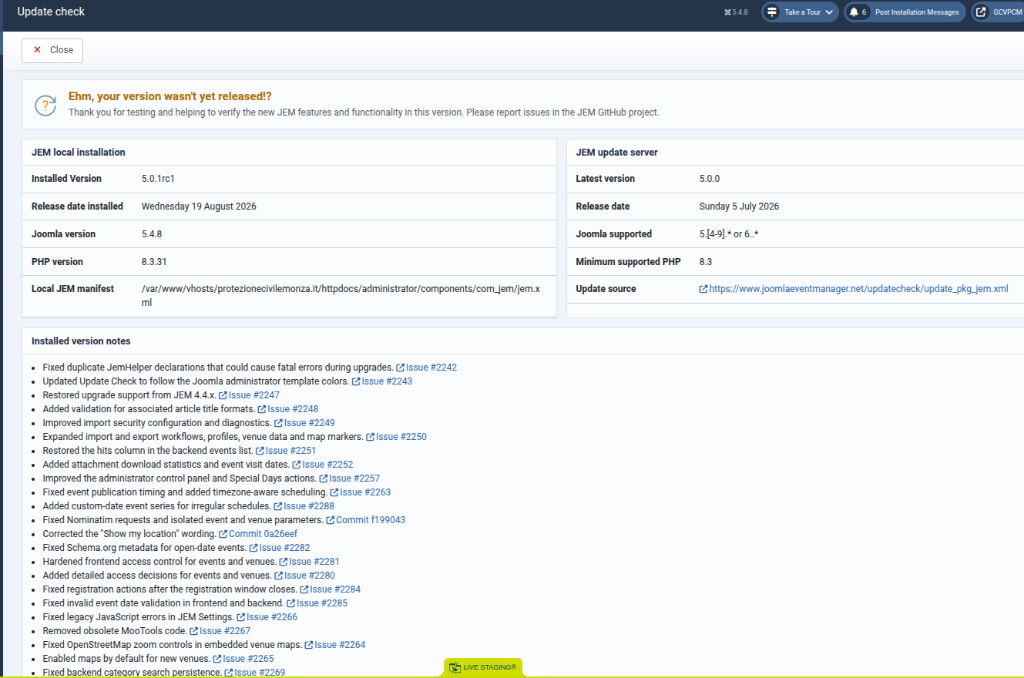
5.0.1RC installed:
Marco
5.0.1RC installed:
- ok for the backend events list ordering, that's great
- about the frontend events list: stil empty, I don't see any, and what about its default ordering?
Marco
Please Log in or Create an account to join the conversation.
Re: Events list empty in frontend in JEM 5.0.0
1 month 3 weeks ago
Hi Marco,
Thank you for testing JEM 5.0.1 RC1.
The query generated by JEM 5.0.0 contains these date conditions:
COALESCE(a.enddates, a.dates) >= '2026-08-20'
AND a.dates <= '2026-08-20'
This restricts the Events List to events taking place exactly on 20 August 2026. These conditions were not present in the query generated by JEM 4.4.2.
This normally happens when both of these options in the Events List menu item are set to 0:
- Number of days before today
- Number of days after today
Please edit the existing Events List menu item, clear both fields completely—leave them empty, not 0—save it and test the frontend again.
As a clean control test, please also create a completely new menu item:
1. Select JEM → Events List as the menu item type.
2. Keep all its settings at their default values.
3. Do not duplicate or copy the existing menu item.
4. Publish it with Public access.
5. Test the new menu link while logged out or in a private browser window.
Please let us know whether the events appear in this new Events List.
Once the events are displayed, you can configure the default frontend ordering in the same menu item:
- Sort table by: Date
- Order direction: Descending
Please also send us:
- A screenshot of the options of the original Events List menu item, especially the date and category filters.
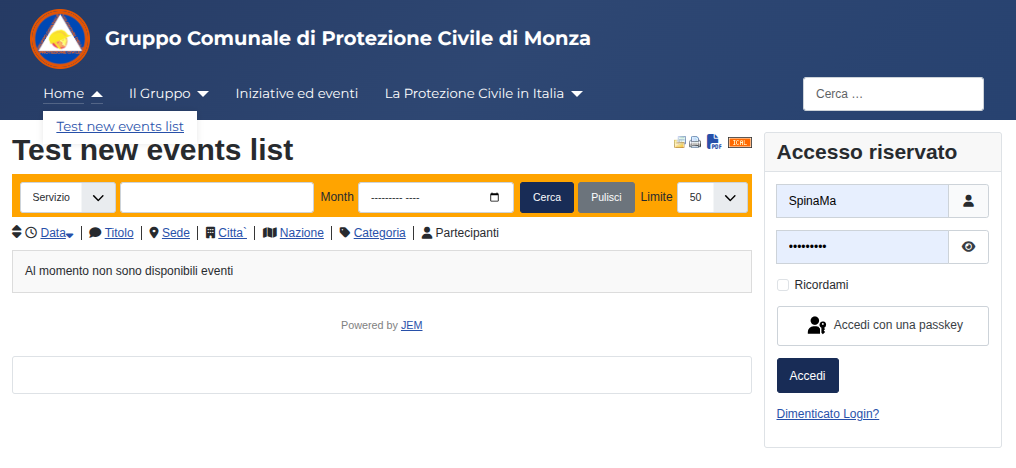
- A screenshot of the new menu item created with default settings.
- A screenshot of JEM → Check Update.
Thank you for testing JEM 5.0.1 RC1.
The query generated by JEM 5.0.0 contains these date conditions:
COALESCE(a.enddates, a.dates) >= '2026-08-20'
AND a.dates <= '2026-08-20'
This restricts the Events List to events taking place exactly on 20 August 2026. These conditions were not present in the query generated by JEM 4.4.2.
This normally happens when both of these options in the Events List menu item are set to 0:
- Number of days before today
- Number of days after today
Please edit the existing Events List menu item, clear both fields completely—leave them empty, not 0—save it and test the frontend again.
As a clean control test, please also create a completely new menu item:
1. Select JEM → Events List as the menu item type.
2. Keep all its settings at their default values.
3. Do not duplicate or copy the existing menu item.
4. Publish it with Public access.
5. Test the new menu link while logged out or in a private browser window.
Please let us know whether the events appear in this new Events List.
Once the events are displayed, you can configure the default frontend ordering in the same menu item:
- Sort table by: Date
- Order direction: Descending
Please also send us:
- A screenshot of the options of the original Events List menu item, especially the date and category filters.
- A screenshot of the new menu item created with default settings.
- A screenshot of JEM → Check Update.
At the end of the day, computing and technology, like Joomla and JEM are here to help the end user and make our lives a little easier. Help us to be better.
Please Log in or Create an account to join the conversation.
Re: Events list empty in frontend in JEM 5.0.0
1 month 3 weeks ago
Here is what happens:
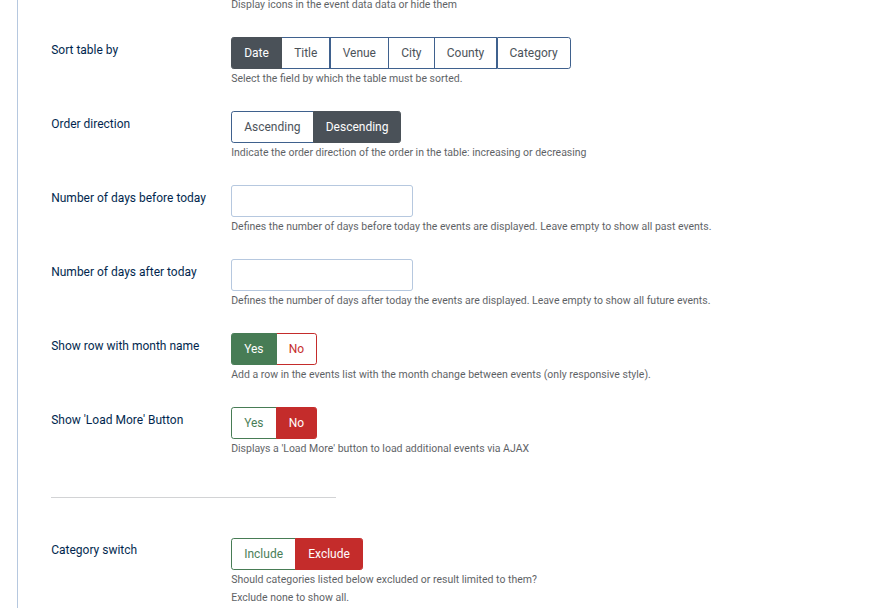
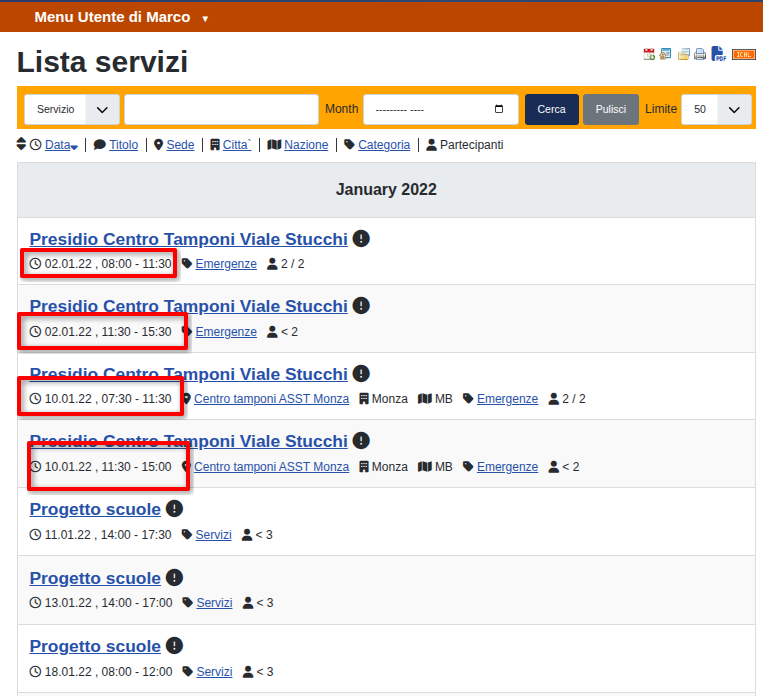
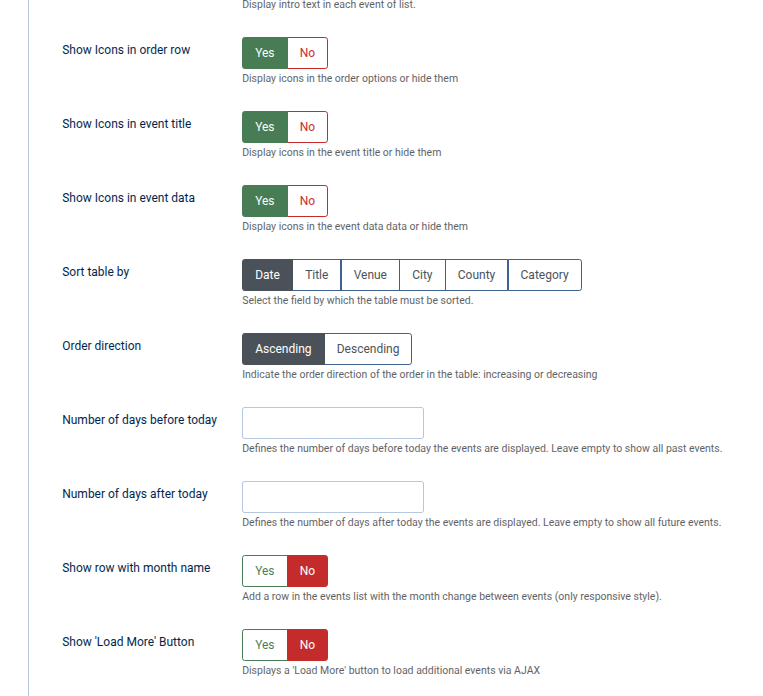
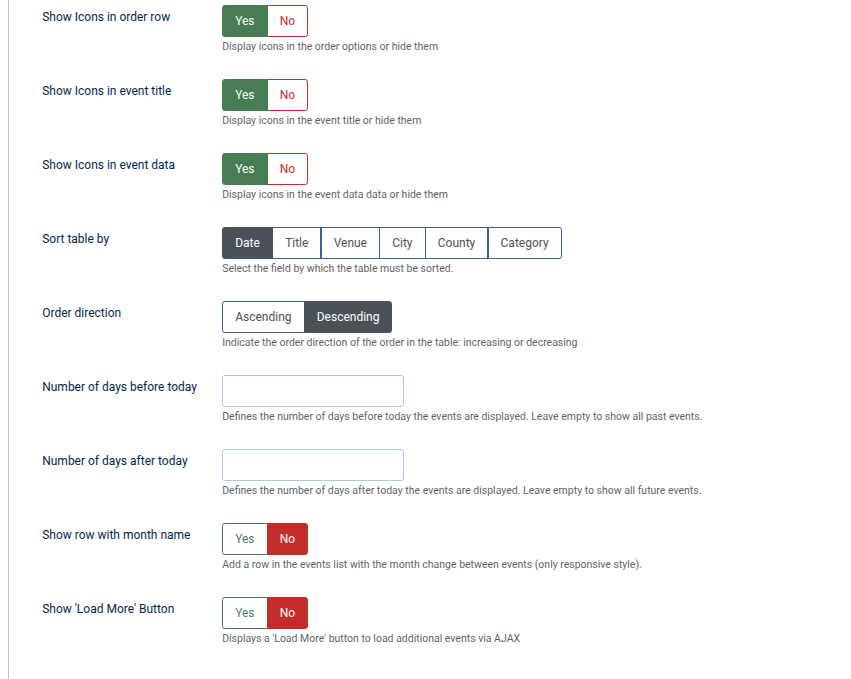
- in the current menu item, removing the zeroes in the number of days before and after today does the job, i. e. the list shows all the events; nevertheless changing the sort order has no effect, the oldest ones always show first
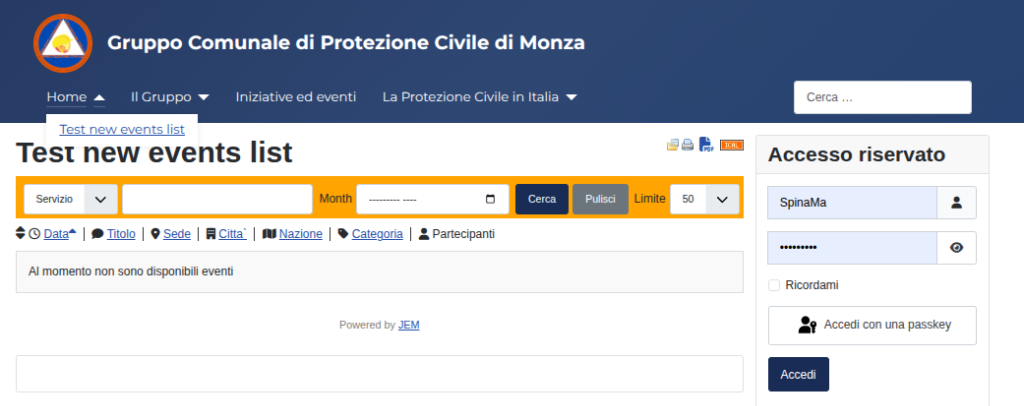
- when creating a new menu item (public) with the default parameters, neither the number of days nor the sort order has any effect: the list is empty
Please Log in or Create an account to join the conversation.
Re: Events list empty in frontend in JEM 5.0.0
1 month 2 weeks ago
A refreshed JEM 5.0.1 RC2 ZIP is now available for testing. It includes corrections for the Events List menu date filtering and ordering while preserving the intended difference between an empty value and 0.
Existing menu values are not changed automatically. If the Events List menu contains 0 but that limit should be empty, please open the menu item, clear the value, save it, and test the frontend list again.
Thank you very much for your detailed testing and for helping us identify this issue. Please test the refreshed package and let us know whether the event list and the selected ordering now work correctly.
Existing menu values are not changed automatically. If the Events List menu contains 0 but that limit should be empty, please open the menu item, clear the value, save it, and test the frontend list again.
Thank you very much for your detailed testing and for helping us identify this issue. Please test the refreshed package and let us know whether the event list and the selected ordering now work correctly.
At the end of the day, computing and technology, like Joomla and JEM are here to help the end user and make our lives a little easier. Help us to be better.
Please Log in or Create an account to join the conversation.
Time to create page: 0.535 seconds