
help to better help you:
Please: add always Joomla / JEM version and details to your posts, so we can try to reproduce your issue!
Events list empty in frontend in JEM 5.0.0


Re: Events list empty in frontend in JEM 5.0.0
1 month 2 weeks ago
Ok, now it's working fine! Tested the default sorting order, and the day-before and day-after parameters, too, and they do what they should.
But still there is something wrong when creating a brand new events list menu item, without changing any parameter, with "public" access, in fact here is what happens:
But still there is something wrong when creating a brand new events list menu item, without changing any parameter, with "public" access, in fact here is what happens:
- from the public frontend (i. e. without logging in) the list is empty
- from the private frontend (i. e. after logging in) the list shows up
Please Log in or Create an account to join the conversation.


Re: Events list empty in frontend in JEM 5.0.0
1 month 2 weeks ago
Hi Marco,
Thank you for confirming that the date filters and default ordering now work correctly.
I cannot reproduce this second issue with a new Events List menu item using the default settings. On our test site, a published Public event assigned to a published Public category and venue is displayed correctly while logged out.
Please note that the Public access level of the menu item only controls access to the menu page. The event, its assigned categories, venue and event type also have their own access levels.
Could you please test one event with the following configuration?
- Event: Published and Public
- Category: Published and Public
- Venue: Published and Public, or no venue
- Event type: Published and Public, or no event type
Please let us know whether that event is visible while logged out. If it is still missing, please send screenshots of the Access settings for that event, category, venue and event type.
Thank you again for your detailed testing.
Thank you for confirming that the date filters and default ordering now work correctly.
I cannot reproduce this second issue with a new Events List menu item using the default settings. On our test site, a published Public event assigned to a published Public category and venue is displayed correctly while logged out.
Please note that the Public access level of the menu item only controls access to the menu page. The event, its assigned categories, venue and event type also have their own access levels.
Could you please test one event with the following configuration?
- Event: Published and Public
- Category: Published and Public
- Venue: Published and Public, or no venue
- Event type: Published and Public, or no event type
Please let us know whether that event is visible while logged out. If it is still missing, please send screenshots of the Access settings for that event, category, venue and event type.
Thank you again for your detailed testing.
At the end of the day, computing and technology, like Joomla and JEM are here to help the end user and make our lives a little easier. Help us to be better.
Please Log in or Create an account to join the conversation.
Re: Events list empty in frontend in JEM 5.0.0
1 month 2 weeks ago - 1 month 2 weeks ago
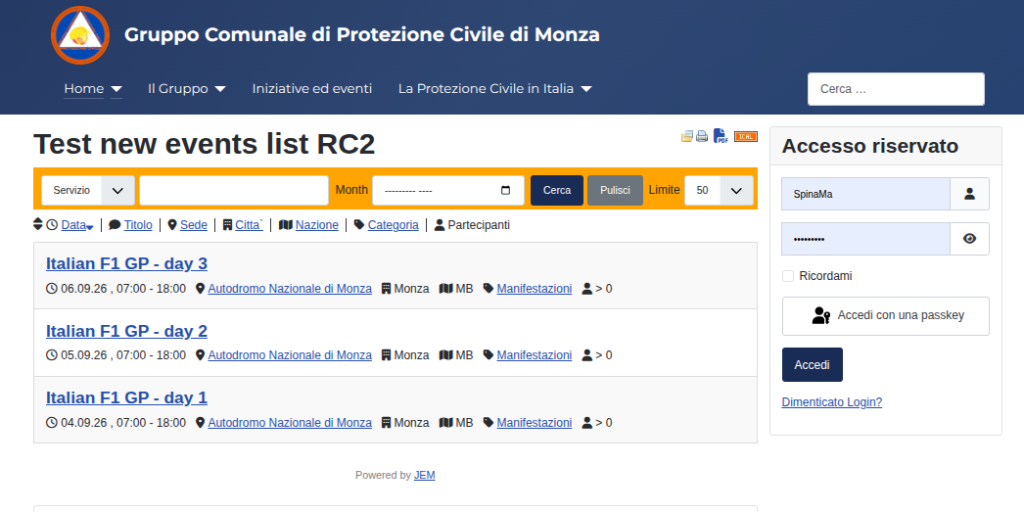
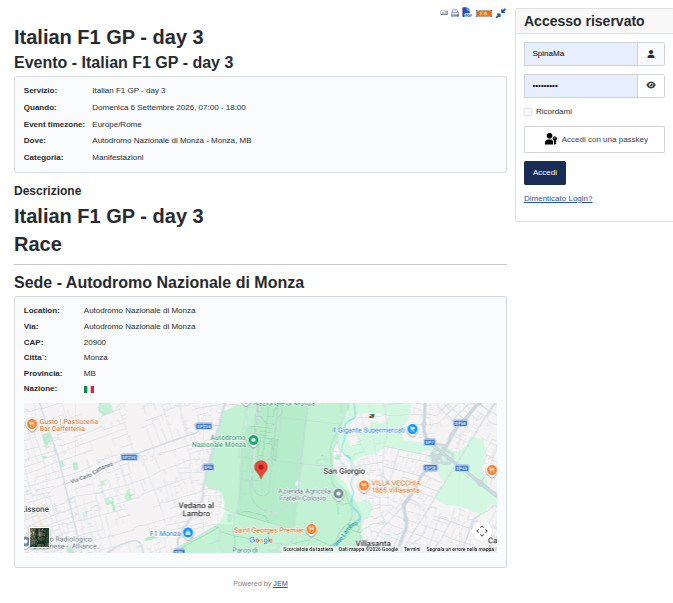
Hi there, yes, events "totally public" are visible while logged out

Last edit: 1 month 2 weeks ago by MSpina.
Please Log in or Create an account to join the conversation.
Re: Events list empty in frontend in JEM 5.0.0
1 month 2 weeks ago
So, if it works, what was the problem?
At the end of the day, computing and technology, like Joomla and JEM are here to help the end user and make our lives a little easier. Help us to be better.
Please Log in or Create an account to join the conversation.
Re: Events list empty in frontend in JEM 5.0.0
1 month 2 weeks ago
When I said it wasn't working the reason was some elements of the events were not public, now it's clear.
Many thanks, then.
I'll wait for the official 5.0.1 release before upgrading in the production site.
Many thanks, then.
I'll wait for the official 5.0.1 release before upgrading in the production site.
Please Log in or Create an account to join the conversation.
Re: Events list empty in frontend in JEM 5.0.0
1 month 2 weeks ago
OK, all's clear. Thanks for testing.
At the end of the day, computing and technology, like Joomla and JEM are here to help the end user and make our lives a little easier. Help us to be better.
The following user(s) said Thank You: MSpina
Please Log in or Create an account to join the conversation.
Time to create page: 0.524 seconds