
help to better help you:
Please: add always Joomla / JEM version and details to your posts, so we can try to reproduce your issue!
[SöLVED]Jem4RC1 CSS in JEM Settings not apply


Re: [SöLVED]Jem4RC1 CSS in JEM Settings not apply
3 years 2 months ago
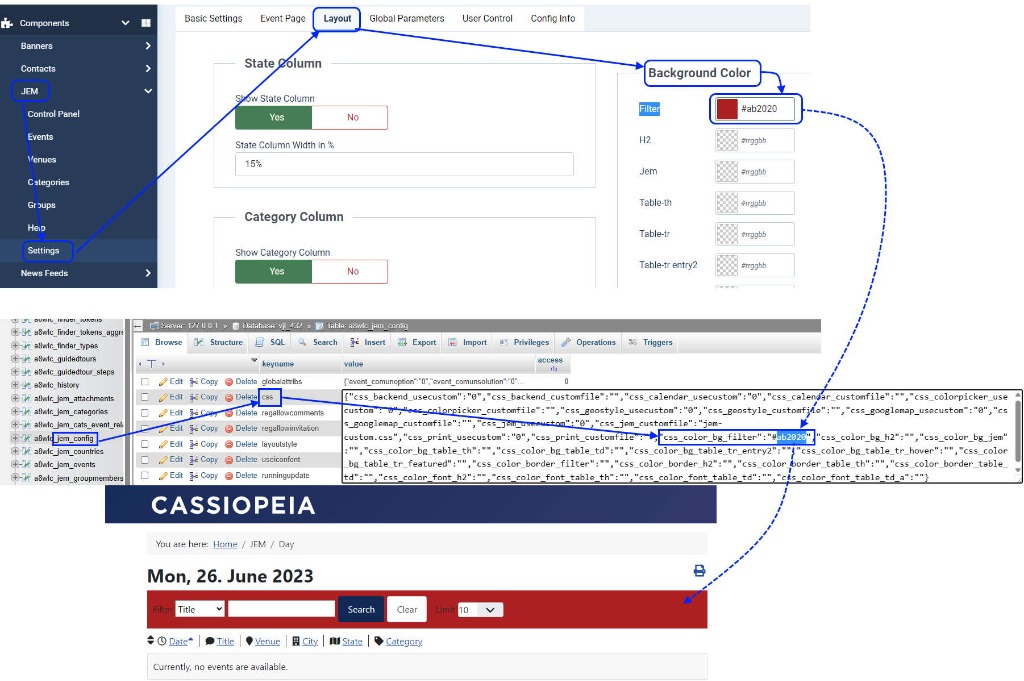
Jojo said "JEMsettings>Layout>Background Color>Filter=#ffffff" and it works. If not, check your database (see image attach)
At the end of the day, computing and technology, like Joomla and JEM are here to help the end user and make our lives a little easier. Help us to be better.
The following user(s) said Thank You: pctech
Please Log in or Create an account to join the conversation.

Re: [SöLVED]Jem4RC1 CSS in JEM Settings not apply
3 years 2 months ago - 3 years 2 months ago
pctech added an other problem with filter (in german)
see image in pctech last post
Code:
#jem_filter div {
margin-bottom: 5px;
}
Last edit: 3 years 2 months ago by jojo12.
Please Log in or Create an account to join the conversation.
Re: [SöLVED]Jem4RC1 CSS in JEM Settings not apply
3 years 2 months ago
I don't understand it, but this already is included in jem-responsive.css
What is the problem?
Code:
#jem_filter div {
margin-bottom: 5px;
}
At the end of the day, computing and technology, like Joomla and JEM are here to help the end user and make our lives a little easier. Help us to be better.
Please Log in or Create an account to join the conversation.
Re: [SöLVED]Jem4RC1 CSS in JEM Settings not apply
3 years 2 months ago
@pctech: we both don't understand! what's the problem?
Please Log in or Create an account to join the conversation.


Re: [SöLVED]Jem4RC1 CSS in JEM Settings not apply
3 years 2 months ago
Good Evening
Sorry i was not so clear with my Post: Padding Left is not optimal set, (See picture Event-Filter-without-padding-left.jpg)

better with this css:
See Picture Event-Filter-with-padding-left.jpg. So is it same Distanz from the Borders Top, Left and Right.

But then is in the Moblie view an Issue with the Input Field, it overflows over the Border..See Picure searchfield-overflows.jpg
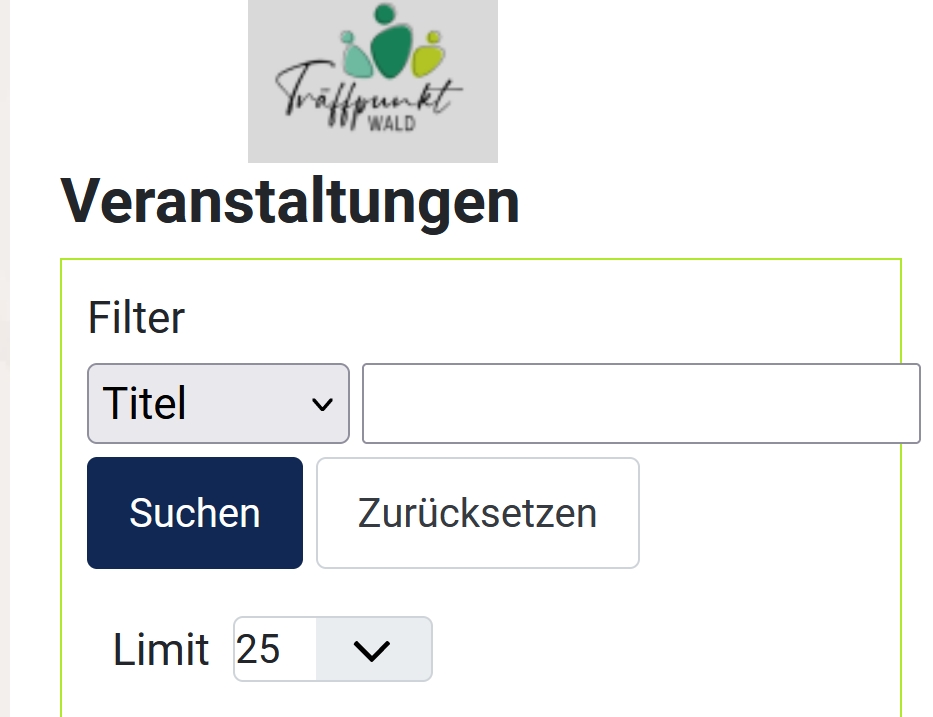
So i added:
No Looks good for me see Picure searchfield-same-distanz.jpg
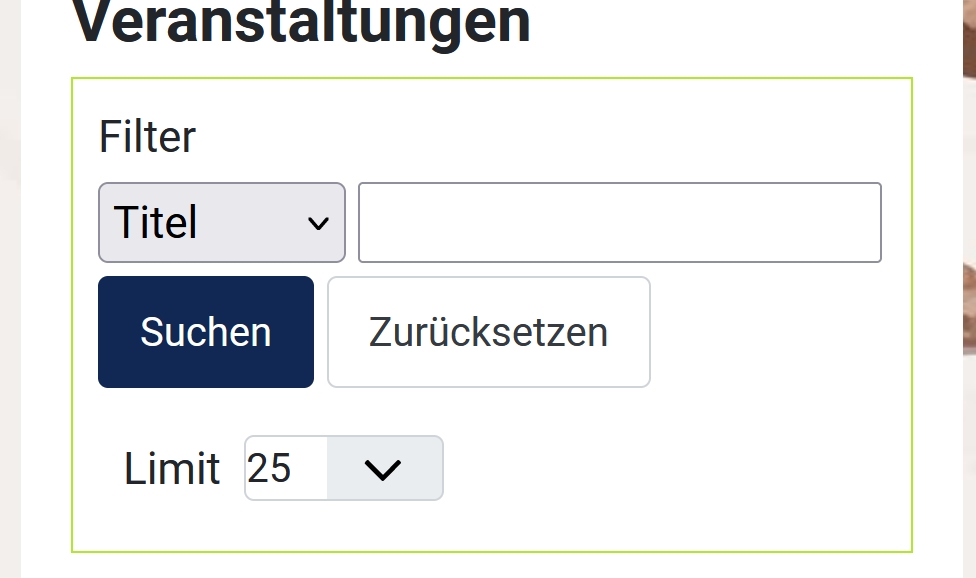
Sorry i was not so clear with my Post: Padding Left is not optimal set, (See picture Event-Filter-without-padding-left.jpg)
better with this css:
Code:
div#jem #jem_filter {
border: 1px solid #b0e82c;
[b]padding-left: 10px;[/b]
}
But then is in the Moblie view an Issue with the Input Field, it overflows over the Border..See Picure searchfield-overflows.jpg
So i added:
Code:
#jem .jem-nowrap {
max-width: 98%;
}
Please Log in or Create an account to join the conversation.
Re: [SöLVED]Jem4RC1 CSS in JEM Settings not apply
3 years 2 months ago - 3 years 2 months ago
Hi McKillko. Thank You, now it works colors are to change easy.

Can not reproduce it anymore in View=Events
Sadly the Setting for the Filterfield in view=attendees are not changed. Still in Orange.
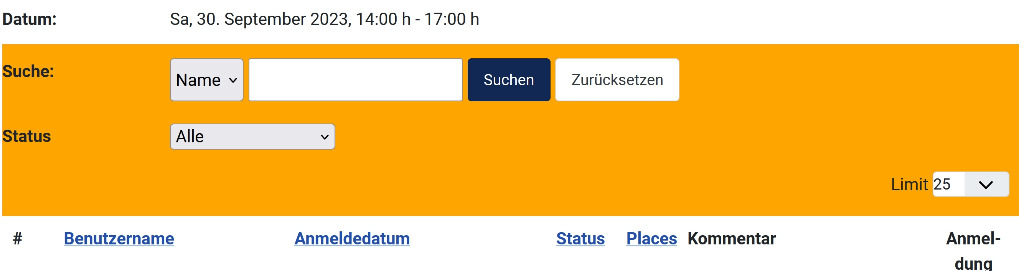
In DB CSS is ok:
With
is it in both views now solved.
Can not reproduce it anymore in View=Events
Sadly the Setting for the Filterfield in view=attendees are not changed. Still in Orange.
In DB CSS is ok:
Code:
{"css_backend_usecustom":"0","css_backend_customfile":"","css_calendar_usecustom":"0","css_calendar_customfile":"","css_colorpicker_usecustom":"0","css_colorpicker_customfile":"","css_geostyle_usecustom":"0","css_geostyle_customfile":"","css_googlemap_usecustom":"0","css_googlemap_customfile":"","css_jem_usecustom":"0","css_jem_customfile":"","css_print_usecustom":"0","css_print_customfile":"","css_color_bg_filter":"#ffffff","css_color_bg_h2":"","css_color_bg_jem":"","css_color_bg_table_th":"","css_color_bg_table_td":"","css_color_bg_table_tr_entry2":"","css_color_bg_table_tr_hover":"","css_color_bg_table_tr_featured":"","css_color_border_filter":"#b0e82c","css_color_border_h2":"","css_color_border_table_th":"","css_color_border_table_td":"","css_color_font_h2":"","css_color_font_table_th":"","css_color_font_table_td":"","css_color_font_table_td_a":""}
With
Code:
div#jem #jem_filter {
padding-left: 10px;
background-color: #ffffff;
border: 1px solid #b0e82c;
}
Last edit: 3 years 2 months ago by pctech.
Please Log in or Create an account to join the conversation.
Time to create page: 0.692 seconds