
help to better help you:
Please: add always Joomla / JEM version and details to your posts, so we can try to reproduce your issue!
[SOLVED] Error: Incorrect DATE value: '23:45: 30'


Re: [SOLVED] Error: Incorrect DATE value: '23:45: 30'
11 months 2 weeks ago
Hi McKillo,
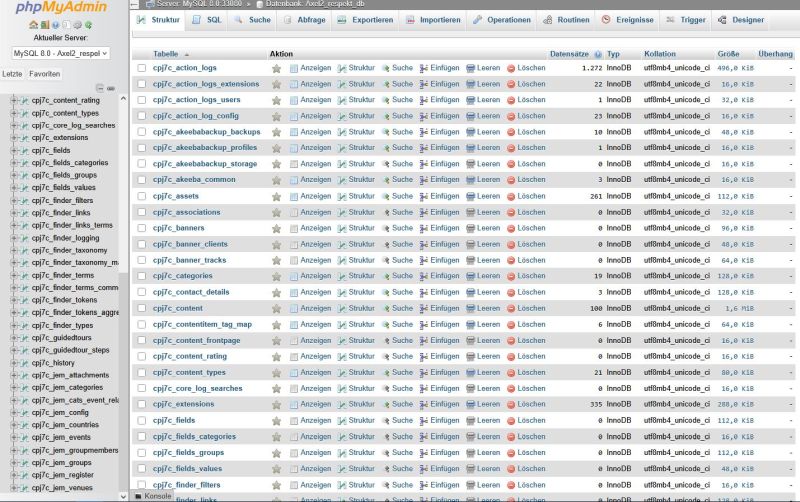
even with this problem, I do not know where the place in the database is (see screenshots) to exchange the table entry with your transmitted file. Can you describe the passage to me exactly? The bracket in the file name, which was created after unpacking, I have to delete, right?
even with this problem, I do not know where the place in the database is (see screenshots) to exchange the table entry with your transmitted file. Can you describe the passage to me exactly? The bracket in the file name, which was created after unpacking, I have to delete, right?

Please Log in or Create an account to join the conversation.


Re: [SOLVED] Error: Incorrect DATE value: '23:45: 30'
11 months 1 week ago
In your phpMyAdmin, scroll down to locate the cpj7c_jem_config table, then click 'Leeren' (Empty). Next, open the SQL tab, paste the content from the SQL file I shared earlier, and execute it (the name table must be the same, cpj7c_jem_config). This will populate the table with the default configuration values.
At the end of the day, computing and technology, like Joomla and JEM are here to help the end user and make our lives a little easier. Help us to be better.
Please Log in or Create an account to join the conversation.
Re: [SOLVED] Error: Incorrect DATE value: '23:45: 30'
11 months 1 week ago
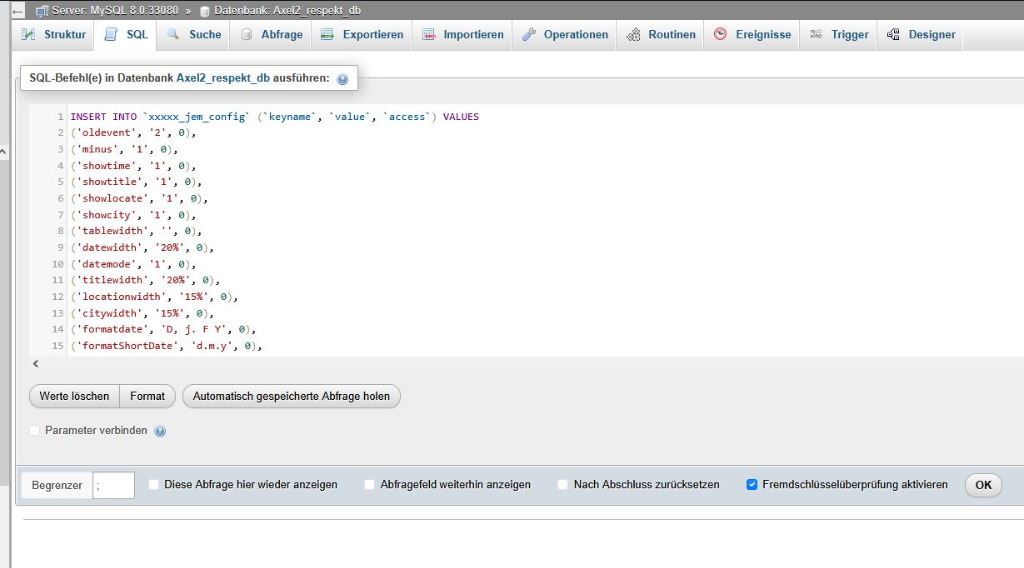
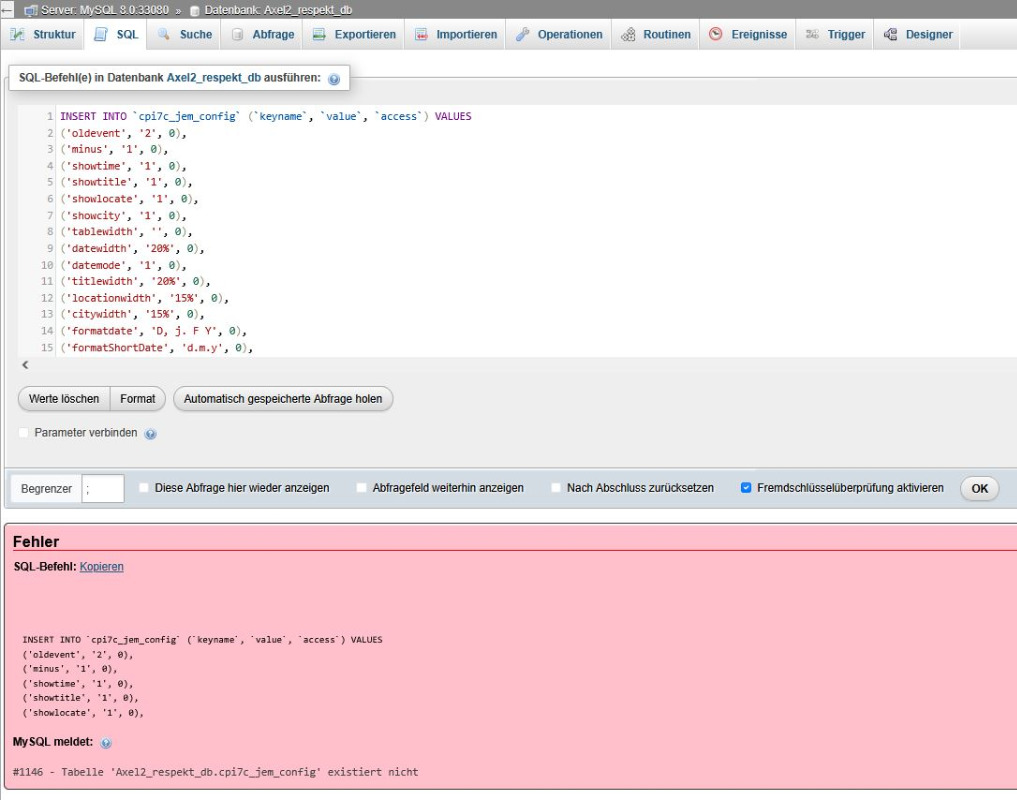
I get an error message after inserting the entry?
Please Log in or Create an account to join the conversation.
Re: [SOLVED] Error: Incorrect DATE value: '23:45: 30'
11 months 1 week ago - 11 months 1 week ago
You have deleted the cpi7c_jem_config table, but the intended action was to empty it, not delete it.
To fix this, recreate the table using:
CREATE TABLE `cpi7c_jem_config` (
`keyname` varchar(100) NOT NULL,
`value` text DEFAULT NULL,
`access` int(10) UNSIGNED NOT NULL DEFAULT 0 COMMENT 'rfu'
) ENGINE=MyISAM DEFAULT CHARSET=utf8mb4 COLLATE=utf8mb4_unicode_ci;
After that, run the INSERT to populate the default settings:
INSERT INTO `cpi7c_jem_config` (`keyname`, `value`, `access`) VALUES
('oldevent', '2', 0),
('minus', '1', 0),
('showtime', '1', 0),
('showtitle', '1', 0),
('showlocate', '1', 0),
('showcity', '1', 0),
('tablewidth', '', 0),
('datewidth', '20%', 0),
...
copy the INSERT from the sql file.
To fix this, recreate the table using:
CREATE TABLE `cpi7c_jem_config` (
`keyname` varchar(100) NOT NULL,
`value` text DEFAULT NULL,
`access` int(10) UNSIGNED NOT NULL DEFAULT 0 COMMENT 'rfu'
) ENGINE=MyISAM DEFAULT CHARSET=utf8mb4 COLLATE=utf8mb4_unicode_ci;
After that, run the INSERT to populate the default settings:
INSERT INTO `cpi7c_jem_config` (`keyname`, `value`, `access`) VALUES
('oldevent', '2', 0),
('minus', '1', 0),
('showtime', '1', 0),
('showtitle', '1', 0),
('showlocate', '1', 0),
('showcity', '1', 0),
('tablewidth', '', 0),
('datewidth', '20%', 0),
...
copy the INSERT from the sql file.
At the end of the day, computing and technology, like Joomla and JEM are here to help the end user and make our lives a little easier. Help us to be better.
Last edit: 11 months 1 week ago by McKillo.
Please Log in or Create an account to join the conversation.
Re: [SOLVED] Error: Incorrect DATE value: '23:45: 30'
11 months 1 week ago
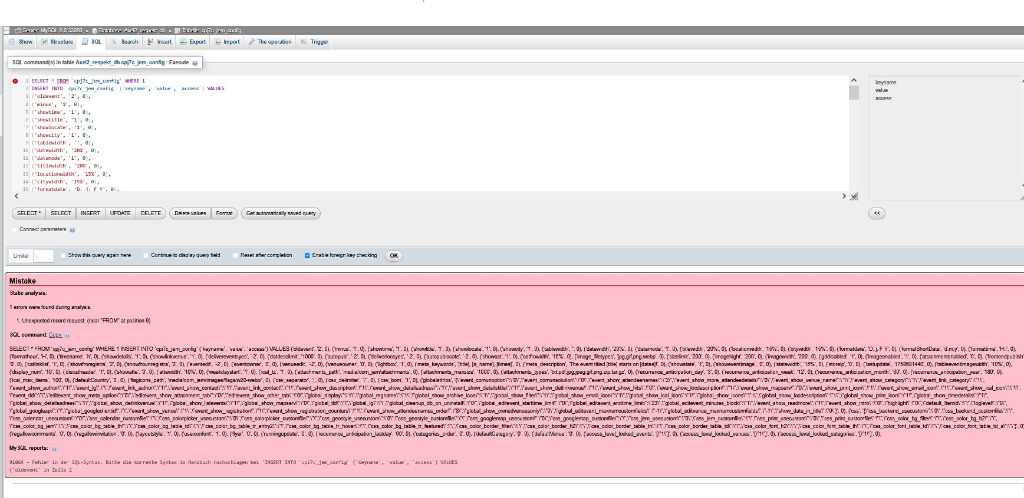
That didn't work either?
Please Log in or Create an account to join the conversation.
Re: [SOLVED] Error: Incorrect DATE value: '23:45: 30'
11 months 1 week ago
Delete the first line "SELECT...."
At the end of the day, computing and technology, like Joomla and JEM are here to help the end user and make our lives a little easier. Help us to be better.
Please Log in or Create an account to join the conversation.
Time to create page: 0.914 seconds